
Best Productivity Tools for Educators & Homeschool Planners

Staying organized matters when you juggle lesson plans, learning goals, and daily logistics. The right productivity tools help you plan faster, track progress clearly, and reduce administrative work so you can focus on teaching and learning.
The best productivity tools for educators and homeschool planners include lesson planning platforms, task and project managers, digital calendars, grading and assessment tools, and communication apps that centralize your workflow.
Tools like Google Docs, Notion, Trello, and educator-focused planning apps support flexible schedules, shared resources, and clear visibility, whether you teach in a classroom or at home.
When you choose tools that integrate well and match your routine, you save time and avoid duplicated effort. This article breaks down which tools work best, what features matter most, and how to use them effectively without adding complexity.
Key Takeaways
The right tools simplify planning, organization, and communication.
Effective features focus on integration, flexibility, and ease of use.
Smart tool choices reduce workload and support consistent learning.
Top Productivity Tools for Educators and Homeschool Planners
You rely on tools that reduce planning time, keep materials organized, and support consistent communication. The most effective options combine visual planning, task tracking, secure storage, and simple collaboration without adding complexity to your workflow.
Comprehensive Planning and Organization Platforms
All-in-one planning platforms help you manage unit planning, schedules, and long-term goals in one place. Planbook supports lesson and unit planning with standards alignment and calendar-based views. Homeschool Planet and Homeschool Minder focus on homeschool organization, attendance, and progress tracking.
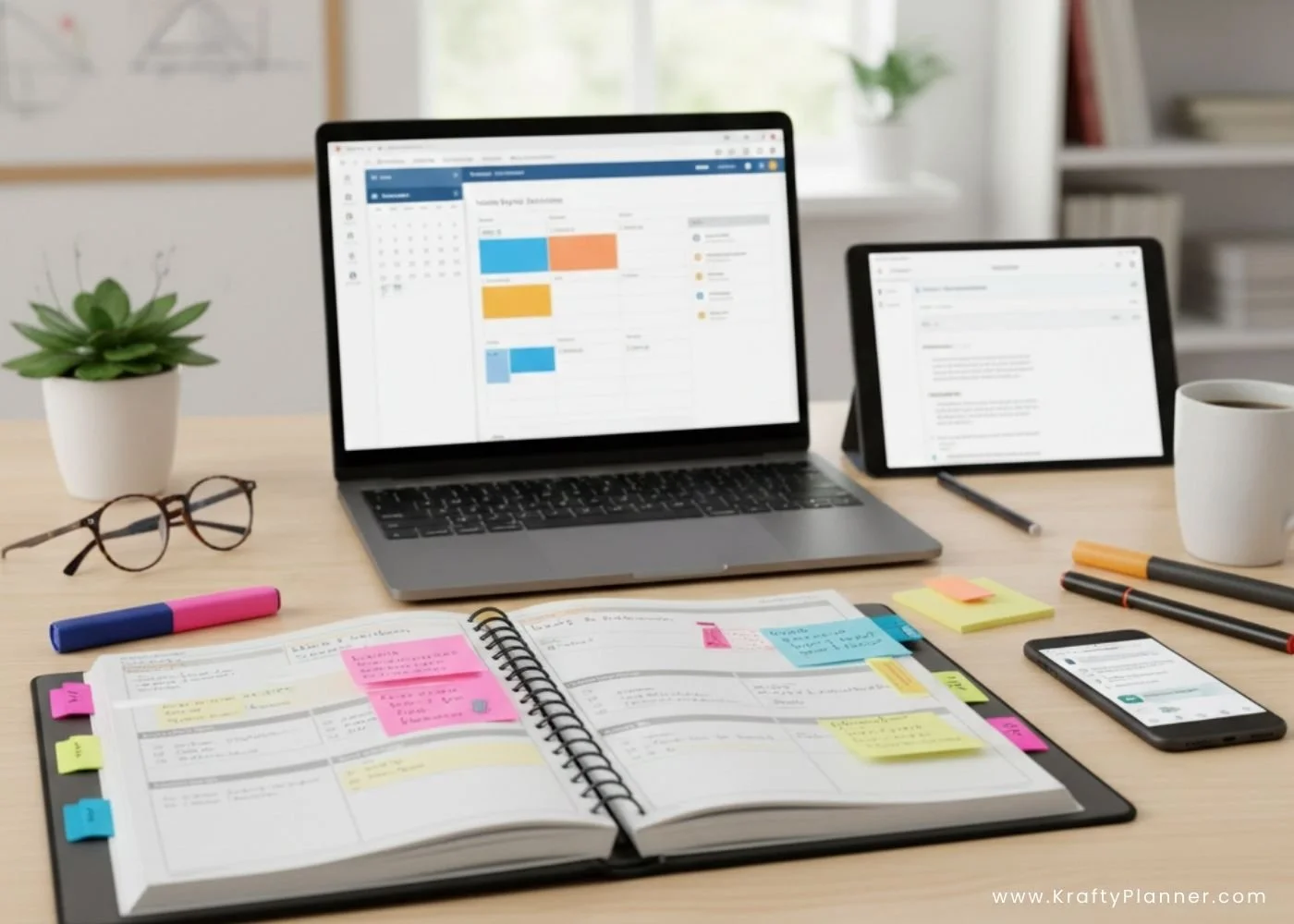
You benefit most from tools that replace paper binders and scattered files. Visual planners and digital planners let you see weeks or terms at a glance.
Common strengths
Integrated calendars and reminders
Curriculum and unit planning tools
Progress tracking for students
These platforms often pair well with Google Calendar and Google Workspace to keep schedules consistent across devices.
Task Management and Digital Planners
Task management tools help you break work into clear, manageable actions. Trello uses visual boards that work well for unit planning and weekly lesson flows. Asana supports more complex projects, such as curriculum redesign or co-teaching.
If you prefer simple lists, Todoist, Microsoft To Do, and built-in Reminders keep daily priorities visible. Many educators combine these with a digital planner to connect tasks directly to lesson schedules.
When choosing a task tool, prioritize
Fast task entry
Due dates with alerts
Cross-device syncing
These features reduce mental load and prevent missed deadlines.
Note-Taking and Resource Management Apps
Note-taking apps centralize lesson ideas, research, and teaching materials. Evernote, Microsoft OneNote, and Notability support structured notes, attachments, and search. They work well for storing lesson reflections, meeting notes, and resource links.
For file storage, Google Drive, Dropbox, OneDrive, and Box keep documents accessible and secure. Tools like Wakelet help you curate and share collections of articles, videos, and activities.
Effective setups often include
A note-taking app for ideas
Cloud storage for files
Clear folder and tag systems
This approach prevents duplication and lost materials.
Efficient Communication and Collaboration Tools
Clear communication saves time and avoids confusion. Google Classroom centralizes assignments, feedback, and announcements. ClassDojo and Remind simplify quick updates with families and learners.
For live or recorded communication, Zoom, Google Meet, Microsoft Teams, and Loom support lessons, meetings, and walkthroughs. Slack and Google Workspace improve collaboration with co-educators.
If you manage tutoring or small-group instruction, tutoring management software adds scheduling, student tracking, and communication in one system.
Canva for Education supports clear visuals that improve clarity in messages and instructional materials.
Essential Features and Best Practices for Productivity Tools
Effective productivity tools for educators and homeschool planners support flexible planning, accurate tracking, and secure collaboration. You benefit most when tools reduce manual work, keep records consistent, and make information easy to share with students and parents.
Customization, Automation, and Integration Options
Customization lets you align tools with your curriculum, schedule, and teaching style. You should look for flexible templates for lesson plans, student work, and online courses. Custom fields for grades, notes, and learning goals reduce repetitive data entry and keep records consistent.
Automation saves time when you connect tools across platforms. Services like Zapier can automate tasks such as creating folders in cloud storage, updating progress tracking sheets, or sending parent communication emails. These workflows help you focus on instruction instead of administration.
Strong integrations matter. Tools that connect with Google Forms, Quizlet, and classroom management systems support formative assessment, exit tickets, and quick feedback. Version history also matters, since it lets you review changes to lesson plans or student submissions without losing earlier work.
Progress, Attendance, and Assessment Tracking
Reliable progress tracking gives you clear insight into learning outcomes. You should prioritize tools that generate readable reports, including skill mastery, assignment completion, and transcripts. Visual dashboards help you identify gaps without sorting through raw data.
Attendance tracking works best when it stays simple and consistent. Automated attendance reports reduce errors and support compliance requirements for homeschool and traditional settings. Some tools allow quick daily check-ins that sync directly to your records.
Assessment tools should support both formal and informal methods. Formative assessment options like Plickers, Google Forms, and digital exit tickets provide fast feedback. When these tools link directly to progress tracking, you avoid duplicate work and keep assessment data accurate.
Security, Offline Access, and Real-Time Collaboration
Security protects sensitive student data. You should look for role-based access, encrypted cloud storage, and clear data ownership policies. These features matter when you store grades, attendance tracking, and parent communication records.
Offline access helps you stay productive in unreliable internet conditions. Tools that sync automatically once you reconnect prevent data loss and support field trips or flexible homeschool schedules.
Real-time collaboration improves coordination with students and parents. Shared access to student work, comments, and updates keeps everyone informed. Collaboration features also support co-teaching, tutoring, and review of online courses without emailing multiple file versions back and forth.
Conclusion
You get the best results when you match productivity tools to your daily tasks, such as planning, grading, communication, and time tracking. Digital planners, task managers, and focused timers help you organize work and protect teaching time.
When you add selective AI‑assisted tools, you reduce repetitive tasks without losing control of instruction. You improve consistency and clarity by choosing a small set of tools that fit your workflow and support your students’ needs.
Before you go:
You might also be interested in…
FOR PERSONAL USE ONLY – Please Read Freebies Terms of Use
(This post may contain affiliate links. For more information, see mydisclosures here.)
~ SHARE THIS POST ~

Did you like this post? Do you know someone else who might enjoy it? Please take a minute to share it on Pinterest, Facebook, or your favorite social media… Thank you!













Planning your year as a caregiver? Learn how to organize caregiving expenses, appointments, routines, and respite while protecting your budget and energy.